
River Mail
Email that answers itself.
River Mail is your inbox with an AI agent inside it — triaging on arrival, drafting in your voice, and quietly answering the threads you trust it with.
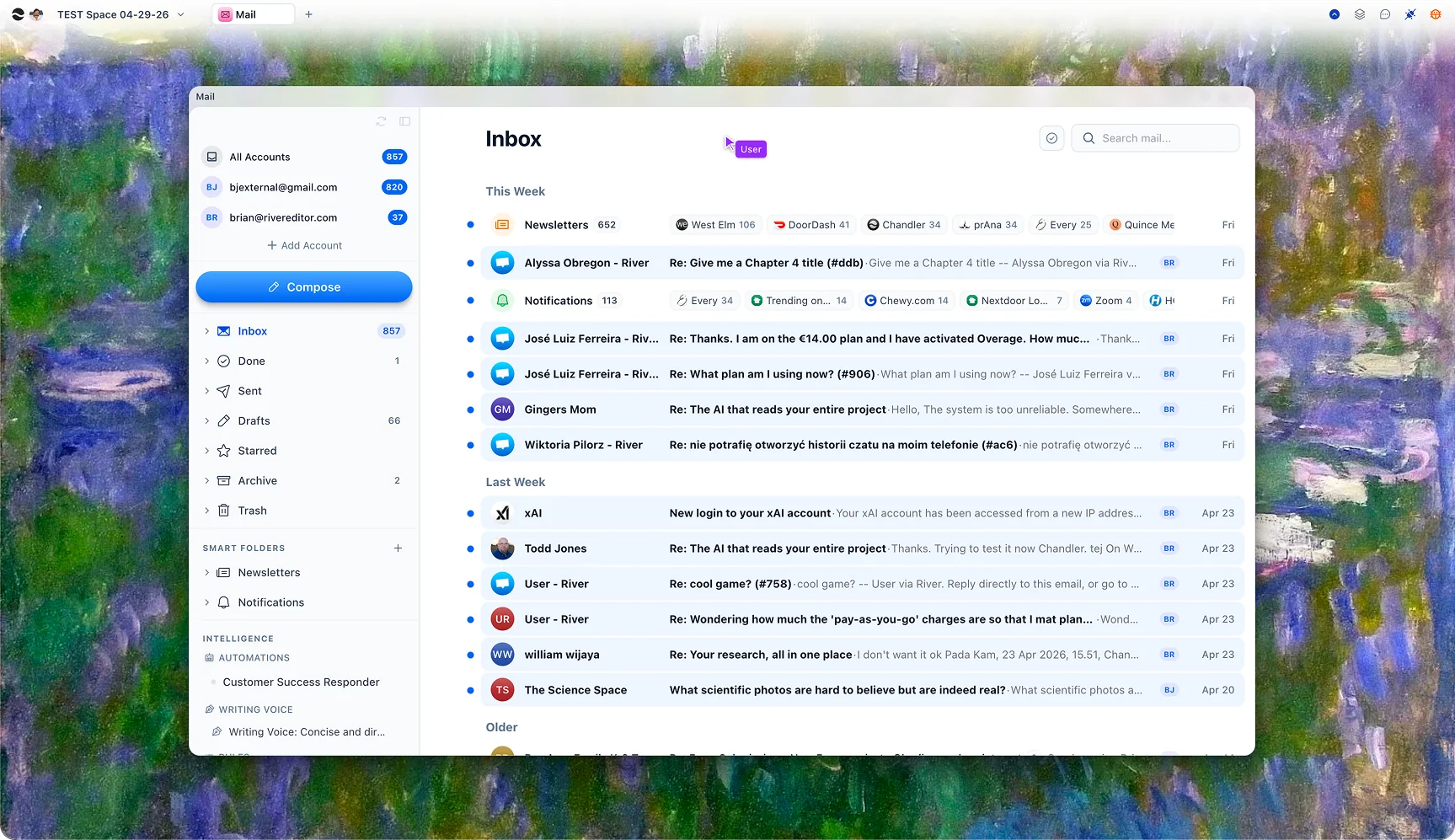
Triage on arrival.
River reads every incoming thread the moment it lands. Newsletters and notifications roll up into a quiet digest, customer messages float to the top, and your Smart Folders — described in plain English — stay maintained without rules.
Drafts in your voice.
Reply with one keystroke. River studies your past correspondence with the recipient, pulls the relevant thread history, and writes a draft that sounds like you. Edit and send, or just send.
An agent that runs the inbox while you sleep.
Connect Mail to an Automation and define your policy. The agent reads new threads, drafts replies grounded in your docs and past tickets, and either sends them automatically or queues them for one-tap approval. Your inbox empties itself.
Connected to the rest of your work.
A thread about a customer links to that customer’s account. A receipt links to the order. A meeting confirmation appears on the right calendar. River pulls every message into the right place automatically, so you can jump from an email to the work it’s about in one click.
The agent inside
Most email clients give you tools. River sends you a teammate.
Drafts every reply
The agent runs on every inbound thread, prepares a response, and waits in your queue. Approve in a tap — or trust it for the threads you choose.
Knows your context
Past emails, project docs, and contact history are loaded into every draft. No more "let me check and get back to you" — the answer is already attached.
Sends, schedules, files
When you trust it, let it send through. When you don’t, it queues for review. Either way the inbox shrinks by itself.
For everyone who runs on email
The same inbox. Three very different days.
Founders and small teams
Run a support inbox the size of a five-person team alone. Configure the agent with your docs and tone and let it answer the routine questions automatically.
Students
Professors, recruiters, group projects, internship applications — River turns the firehose into something you can keep up with, with deadlines surfaced into your Tasks.
Personal
Bills, family, school, subscriptions — sorted before you ever look. The important stuff floats to the top; the marketing falls into a digest you check on your terms.
Questions
Gmail and Google Workspace today. More providers (Outlook, iCloud, Fastmail) are in active development on the same connector framework.
Only when you explicitly turn that on for a specific thread or sender policy. By default, every AI-drafted reply waits in your queue for one-tap review.
River reads your sent mail history (with your permission) to pick up rhythm, sign-off, and tone. You can refine voice settings and have separate styles for support, sales, and personal threads.
No. River never trains its models on your inbox content. Mail data is encrypted at rest, used only to power your own features, and deletable at any time.
A folder you describe in plain English — "emails from paying customers," "anything about the launch" — that River keeps populated automatically as new threads arrive.
Yes. Share specific Smart Folders, drafts, or assigned threads with teammates so customer support, sales follow-up, and PR can collaborate without forwarding chains.
Take your inbox back.
Connect your Gmail, set up your first agent, and watch the inbox start shrinking in minutes. Free to try, no credit card.