Project
The AI Workspace for Great Work
We bring the experience of deploying local AI inside Fortune 100 environments, then work hands-on like a small founder-led studio. River makes powerful local AI usable by the whole creative team, from Image Studio and Video Studio to shared briefs, permissions, agents, and client memory.
River Studio OS
Immensely powerful local AI, wrapped in a collaborative workspace where your team can create bigger, better, and faster than ever before. Together.
Project
The fragmentation problem
Briefs come in as PDFs. They get discussed in Slack. The design files live in Figma. The feedback loop is email. The video pipeline is someone's local Premiere project. The AI tools are unconnected browser tabs. There is no system — just people remembering where everything is.
River collapses this into one system. Every brief, design, video, and agent run lives in the same entity tree — searchable, shareable, and reasoned over by AI that has the full context of your studio.
What River is
River is designed to be the thing that holds all the other things. Four layers, all on your machine, all talking to each other.
Interface layer
The studio's shared desktop. Everyone opens what they're working on inside River. Nothing is a separate app download. Everything shares the same context.
Entity layer
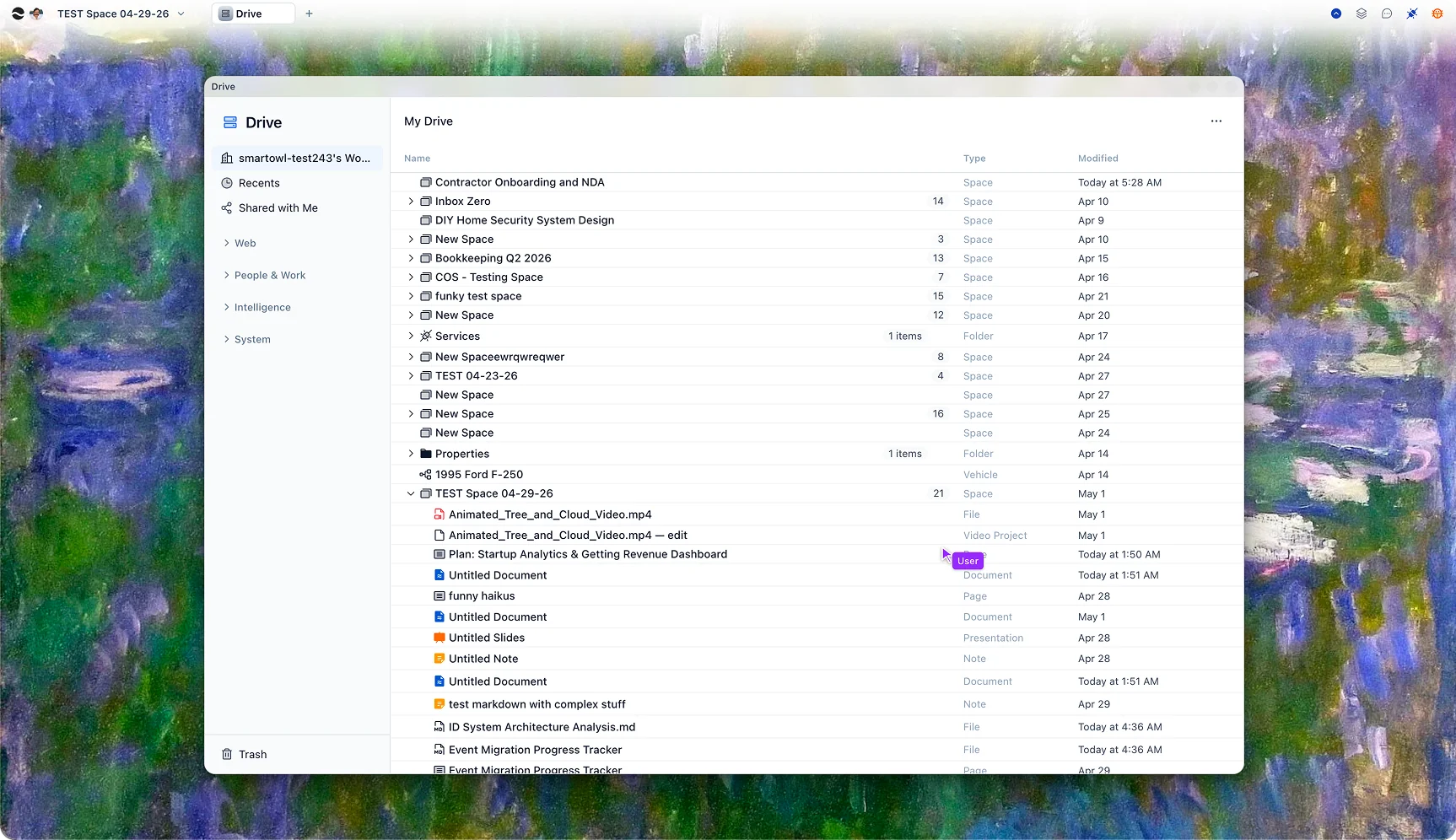
Briefs, designs, videos, tasks, contacts, campaigns — every artifact is a first-class entity with a history, a path, and a set of people who can see it.
Intelligence layer
Scheduled agents run whether a window is open or not. The Brief Analyzer runs when a PDF lands. The Campaign Debrief runs when a project closes. Intelligence is infrastructure, not a button.
Runtime layer
MongoDB, OpenSearch, MinIO, and Ollama — the full AI stack on your box. Your Blackwells power every model call. No cloud dependency. No data leaving the building.
The app layer
River ships with a full suite of purpose-built creative apps. Because they all live in the same entity system, opening a video project shows you the brief it came from, the tasks it generated, and the AI agents that worked on it — without you stitching anything together manually.
AI-native canvas editing
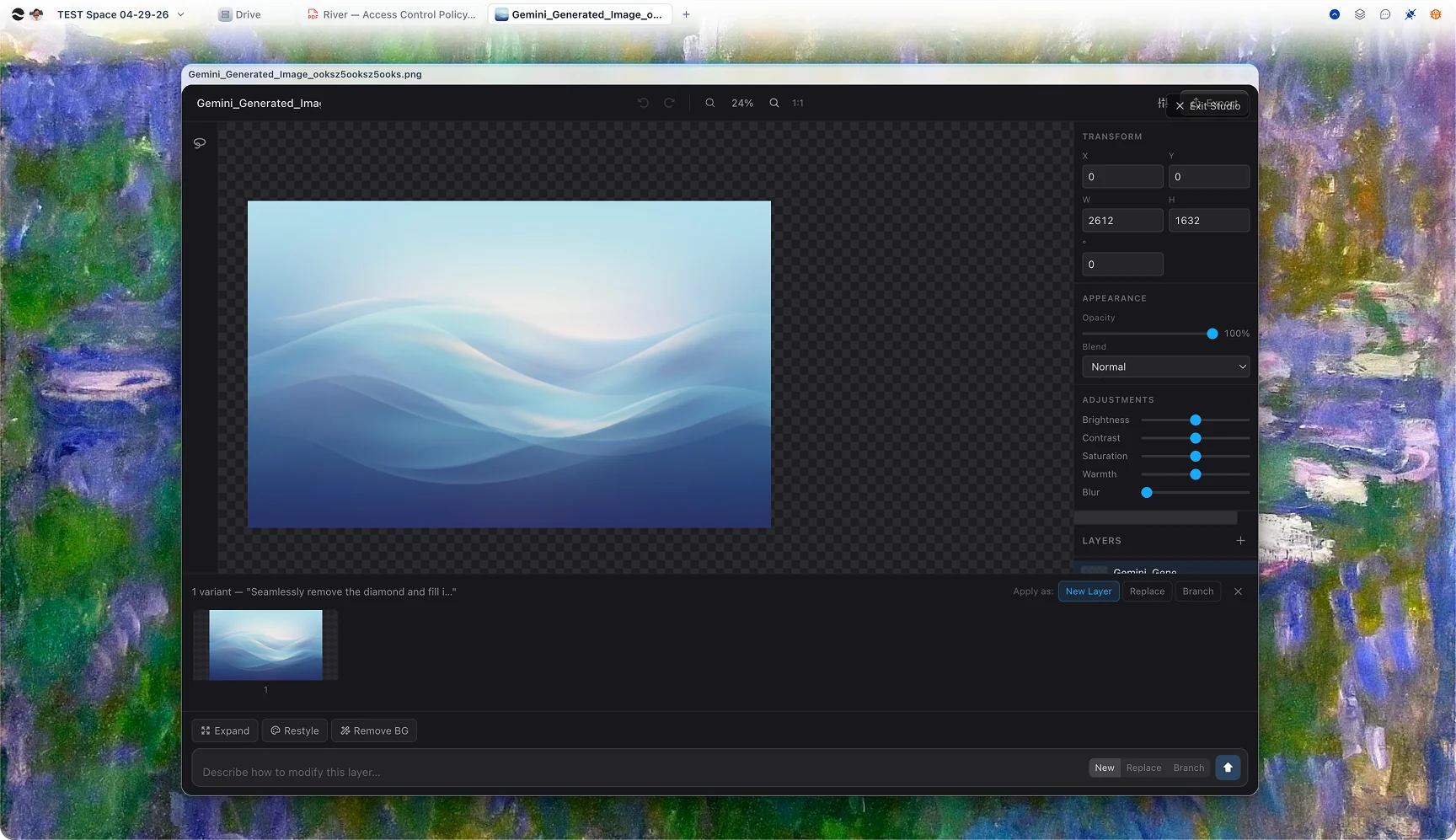
Layers, masking, inpainting, bg-replace, style transfer, and upscaling — all in one canvas. Every AI edit lands as a non-destructive layer. Flux and SDXL running on your own Blackwells. The whole studio hits one URL.

Timeline editor + generative video
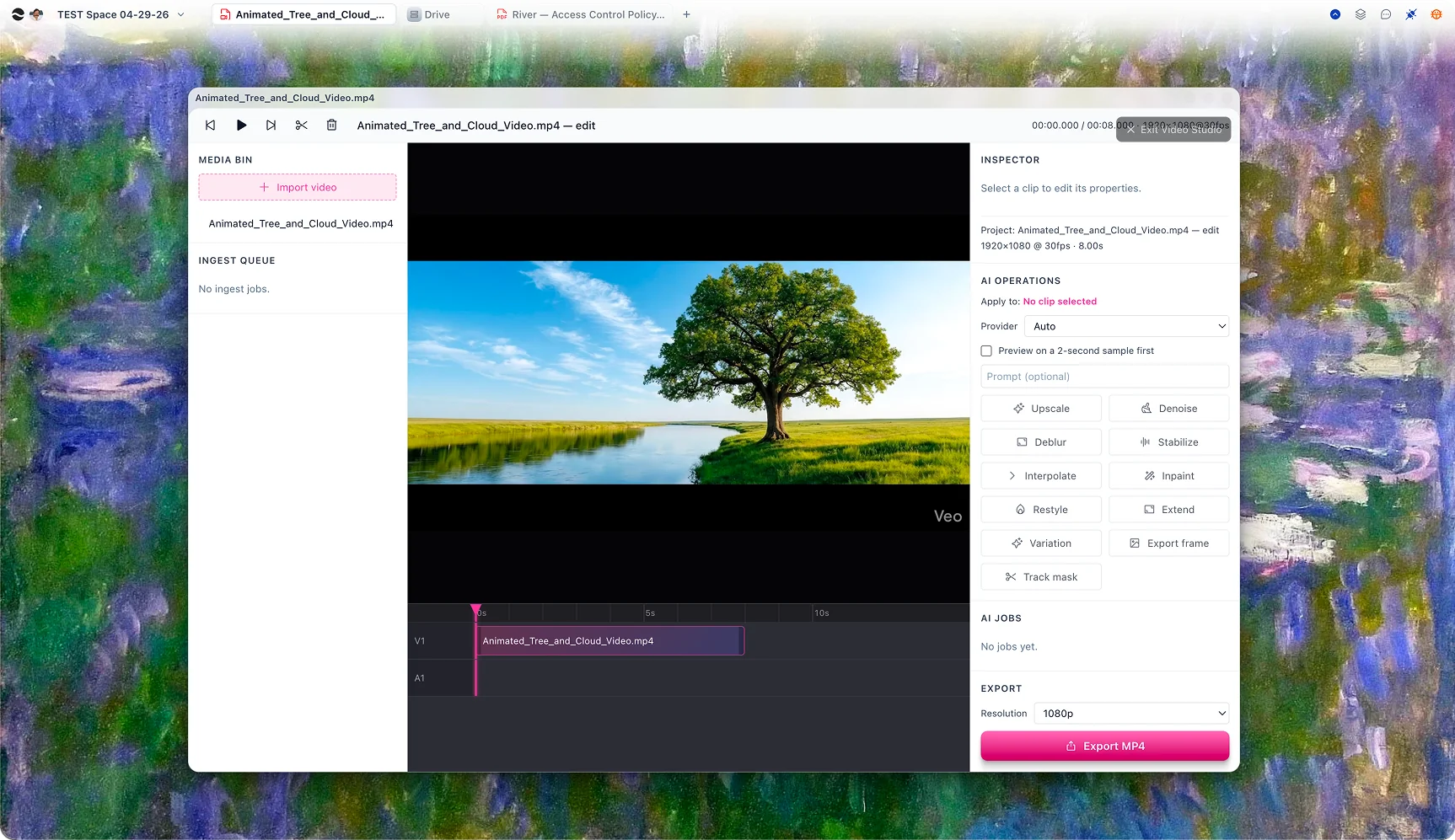
A non-destructive timeline editor with WAN 2.1, Hunyuan Video, and CogVideoX as built-in generation tools. Agents can upscale, restyle, and extend clips. Runs locally with ComfyUI when the desktop app is present.

Every model, one interface
Ask questions across your client briefs, brand guidelines, past decks, and campaign history. Routes between your local Blackwells and frontier cloud models automatically. Your team's knowledge, always in context.
AI-first collaborative writing
Proposals, creative briefs, campaign copy, retrospectives. Real-time collaborative, CRDT-native. The AI can write a first draft from your brief entity, edit in-line, and surface relevant past work without being asked.

Projects with agency-scale structure
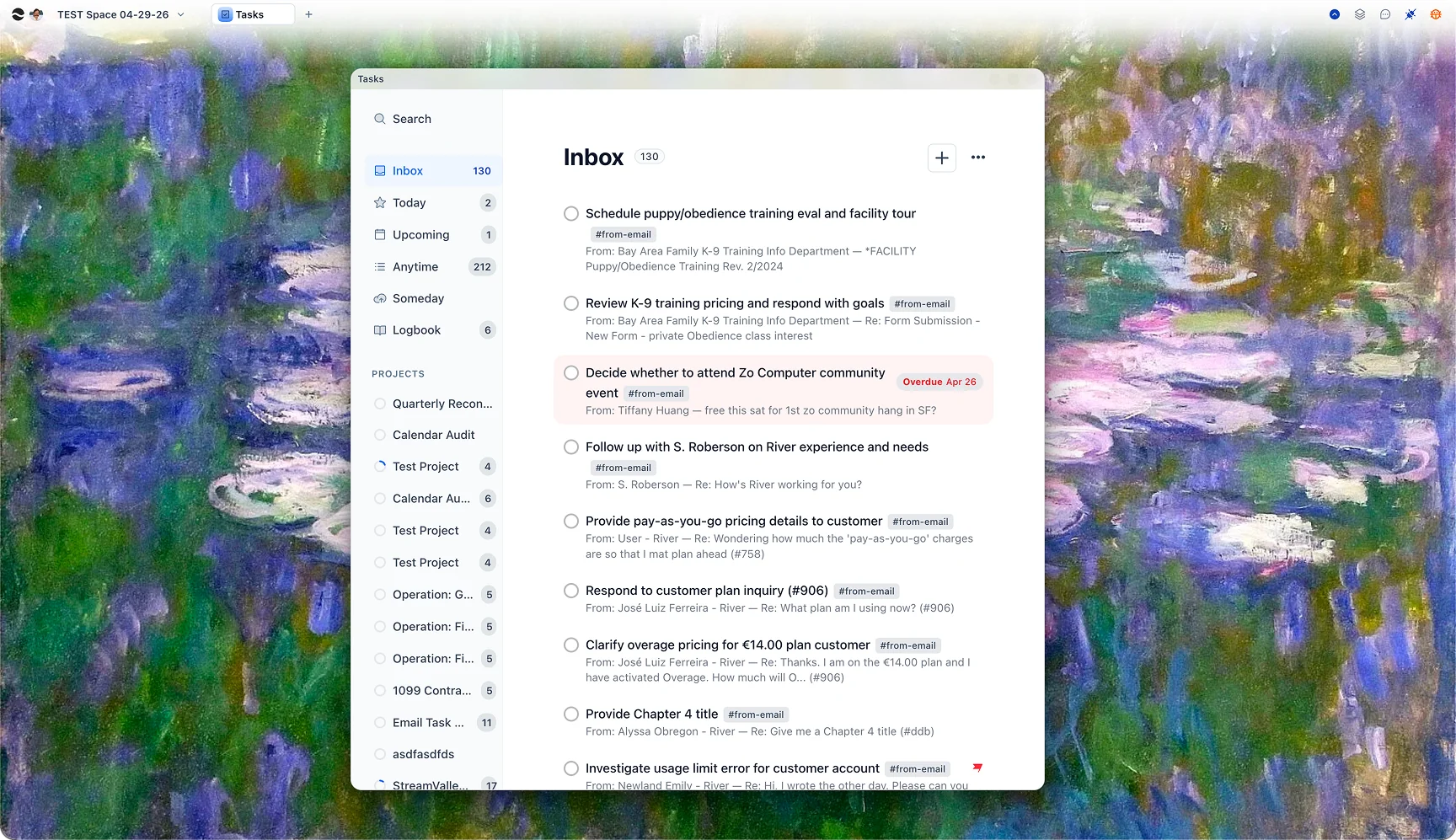
Tasks that know their project, their deadline, and who owns them. Agents can create tasks from email threads, flag slippage, and generate a standby briefing for anyone who needs to pick up where someone left off.

Inbox triaged by context
Your studio inbox integrated directly into the entity system. Client emails linked to their project entity. Agents draft replies, extract action items, and route threads to the right person — silently, before you open it.

The collaboration model
River's entity system is the team's shared filesystem — but built for AI-age work. Role-based access, real-time CRDT collaboration, and agents that run as team infrastructure rather than individual tools.
Every project is a shared dataspace — a single source of truth for client briefs, design files, video projects, and email threads. Everyone with access sees the same entities, the same history, the same agents.
Clients see their deliverables. Account managers see their accounts. Creative directors see everything. Access is per-entity, not per-folder. Sharing one doc doesn't expose the folder it lives in.
Two people editing the same brief don't conflict. An agent writing to a doc you have open doesn't break your work. A team member in a different timezone and a background agent merge automatically.
Brief Analyzer, Creative Review Agent, Deadline Monitor, Campaign Debrief — these agents live in the shared dataspace. Every team member sees the jobs they ran. Every output is a real entity.

Local-first
River runs wherever your data should live. Start in the cloud with zero setup. Move to a Mac Mini or Studio for personal or small-team local inference. Put a GPU workstation at the center of your studio for full-resolution image and video generation. Build out a custom rack when scale demands it.
Every tier runs the same River — the same apps, agents, entity system, and collaboration layer. The only thing that changes is where the inference happens. Client data stays in the building. Nothing leaves without your explicit permission.
Studio agents
Agents in River are persistent workers — first-class entities in the shared dataspace, visible and editable by the whole team, triggered by events, schedules, or manual invocation. These are five we'd build for an agency on day one.
Brief Analyzer
TriggerRuns when a new PDF lands in a client folder
Structured brief entity: objectives, deliverables, constraints, open questions.
Creative Review Agent
TriggerRuns after a design is marked "review-ready"
Draft client feedback in the account manager's voice, waiting in their review queue.
Deadline Monitor
TriggerRuns every morning at 8am against your task system
Flags slippage, suggests reallocation, surfaces blockers before standup.
Campaign Debrief
TriggerRuns when a project is marked complete
Retrospective doc synthesized from briefs, revisions, performance data, and Slack history.
Reference Librarian
TriggerRuns on every uploaded image, deck, and PDF
Auto-tags, clusters by style/client/category, and makes the reference instantly findable.
Getting started
River meets you at whatever commitment level you're ready for. Every tier is the same software — you're choosing where it runs.
Start today
Browser or desktop app, hosted by River. Routes LLM calls to your local box or to cloud APIs, depending on task. Runs your agents and scheduled jobs even when the studio is closed.
Available now$299 one-time
Full local Docker stack: backend, WebSocket, MongoDB, OpenSearch, MinIO, Ollama. Your Blackwells are the inference hardware. No monthly API fees. No data leaves the building.
Available now · $299Coming
Log into "River Session" instead of GNOME on any Linux machine. River is the desktop. Apps open inside River's window system. Maximum performance, maximum integration.
Coming soonLet's talk
We'll sit down, look at how your studio actually works, and design the system around it — the agents, the dataspaces, the model config, the self-hosted stack. Thirty minutes is enough to understand if this is the right fit.
Book a 30-minute call→Prepared privately for your studio. Nothing shared with anyone else.