
River Image Studio
The image editor built for an AI workflow.
A real layered canvas where every AI operation lands as a non-destructive layer. Cloud or local, frontier or open-source, by hand or driven from your chat.
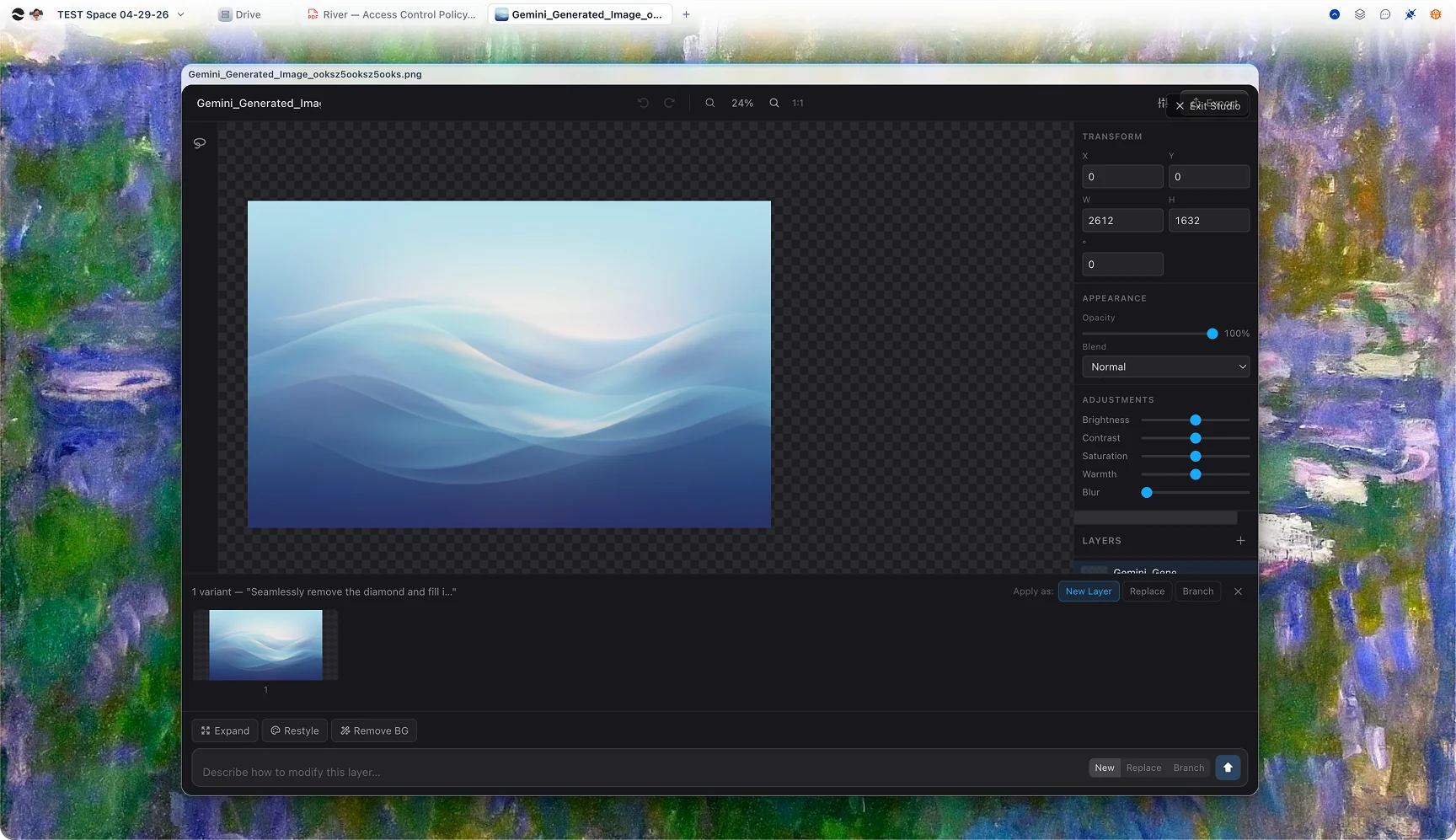
Photoshop layers. AI as a brush.
Image Studio is a real layered canvas — selection, masking, transforms, blend modes. Every AI operation lands as a non-destructive layer you can hide, mask, or delete. History is sacred; the original never gets overwritten.
Generate, inpaint, restyle, replace.
Type a prompt to generate. Mask a region and re-prompt to inpaint. Click to remove a background. Pick a reference image and apply its style. Upscale a 512px sketch to 4K. All from the same composer, with live aspect-correct variants.
Cloud speed, local privacy — your call per generation.
Image Studio ships with a managed local engine. Cloud mode for frontier quality, Local mode when the bytes need to stay on your machine. The toggle is a single click, and a status badge shows your local engine’s health.
Scriptable from chat.
River agents call image_generate, image_edit_region, image_remove_bg as tools. Ask for "30 hero variants for the brand site" and watch the layers populate. Mix human and agent edits — the canvas doesn’t care which is which.
AI as a tool, not a takeover
Layers, history, masks — and an AI behind every brush.
Generate
Cloud frontier models or local SDXL — same prompt bar, same canvas, same layer system. Pick per-generation.
Edit
Selection is the center of editing. Paint a mask, write a prompt, get a non-destructive AI layer back.
Iterate
Every AI op produces multiple variants. Apply the one you want as a layer; the others wait in the strip.
Visuals for everyone
From the brand team to the family album.
Brand and marketing
Hero images. Product card thumbnails. Social ads in twelve formats. River gives a one-person founder the visual capability of a small agency — and the agent integration generates variants in batch.
Students and researchers
Concept maps. Lab diagrams. Slide visuals. Studio art class. Local mode means your work stays on your laptop even when the Wi-Fi isn’t cooperating.
Personal
Family photo with the random tourist removed. A holiday card you’re actually proud of. A reference image you saw and want to remix into something of your own.
Questions
Flux, SDXL, GPT-Image, and Grok in the cloud; SDXL Base 1.0 and Pony Diffusion locally. New models slot into the same composer — you don’t need to learn a different UI per provider.
Recommended but not required. The auto-installer manages ComfyUI for you and falls back to CPU on smaller models if a GPU isn’t available.
Yes. Drop any compatible checkpoint into the local engine and pick it from the model selector. Cloud models are managed by River; local models are managed by you.
Only when you choose cloud mode for a specific generation. Local mode keeps every byte on your machine — useful for client work or anything you wouldn’t paste into a public API.
River is AI-native from the ground up. Every AI op is a first-class, non-destructive layer with full history; selections and masks flow directly into prompts; agents can drive the canvas the same way you can.
PNG, JPEG, WebP, layered PSD, and SVG (for vector ops). Image Studio is the editor, not the lock-in.
Editing images, finally non-linear.
Open Image Studio in your browser, run your first generation, and watch every AI op land as an editable layer. Cloud is free to try; local mode installs in one click.