
River Drive
Files that know what they’re about.
River Drive is more than storage — it’s the long-term memory for every agent in your workspace. Drop in a file and it’s instantly indexed, tagged, and ready to be quoted.
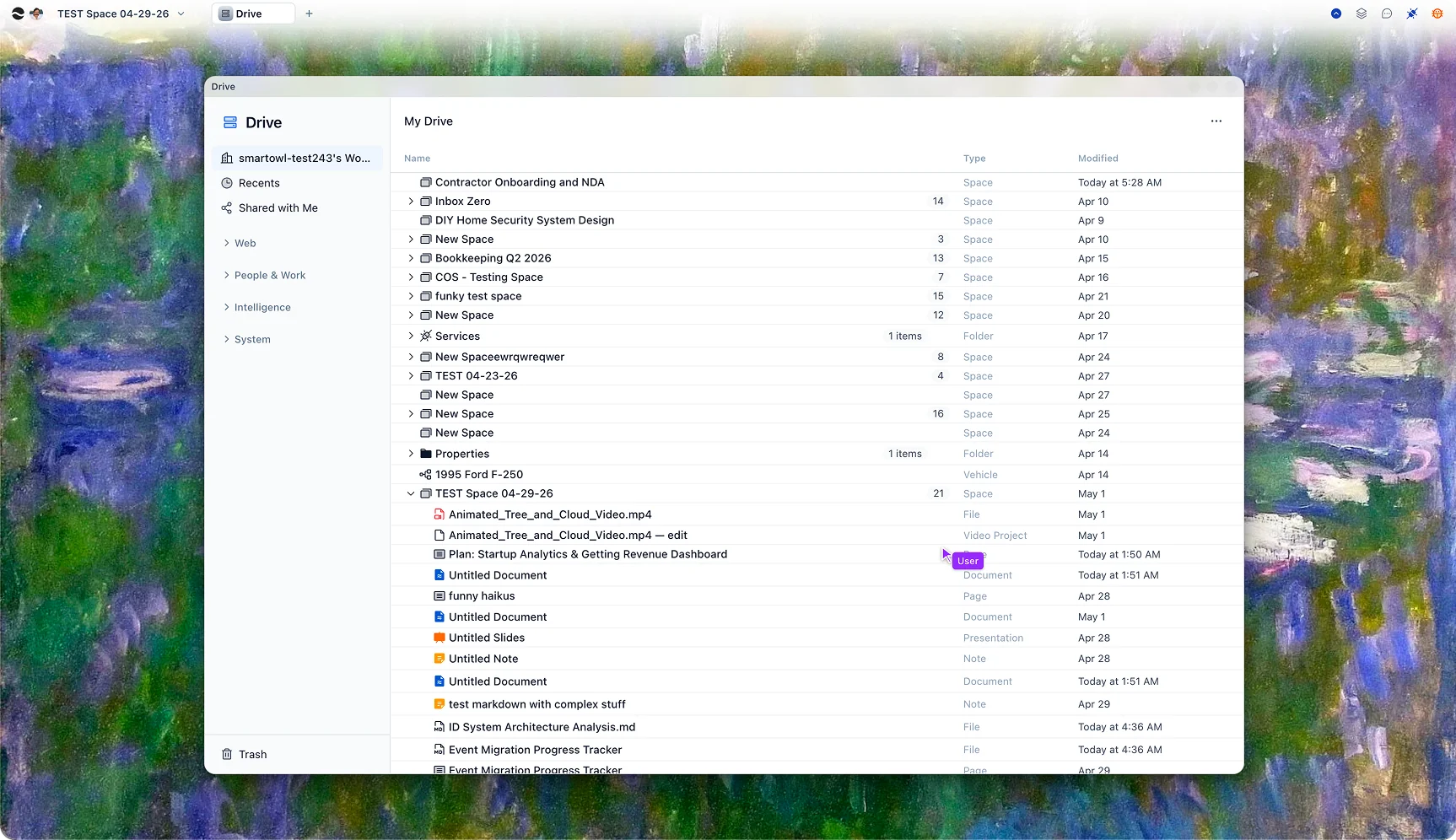
A drive that understands what’s in it.
Drop a file, paste a link, or sync a folder. River extracts the text, OCRs the scans, transcribes the audio, and adds the content to your knowledge graph. The AI knows what each file is about, who it concerns, and how to find it.
Find anything in plain English.
Stop hunting through nested folders. Ask the way you’d ask a coworker who knows where everything is — River searches across content, metadata, and relationships, and surfaces the answer with the source attached.
Permissions that actually work.
River uses entity-level access control. Share a single doc without exposing the folder it lives in. Owner, editor, and viewer roles propagate cleanly. Agents respect every permission — they can’t read what you can’t read.
Connected to every agent.
Once a file is in Drive, Mail can quote it in a reply, Tasks can pull a brief from it, and Chat can answer questions grounded in it. Drive isn’t a silo — it’s the workspace’s collective memory.
Storage that thinks
The file system was a metaphor. This is what comes next.
Reads every upload
PDFs, slides, sheets, audio, video — all extracted, indexed, and ready to be quoted. No more "where’s the searchable version?"
Files itself
New uploads get tagged, dated, and dropped into the right project automatically. Your folder structure stays clean without effort.
Becomes truth
Every agent in River uses Drive as its long-term memory. Ask once, get an answer grounded in your real documents.
For every kind of knowledge
One Drive. Three very different memories.
Companies
Decks, contracts, runbooks, and customer notes live across a dozen tools. River pulls them together and makes every one of them queryable from a single agent.
Students
Lecture slides, papers, your own notes, recorded sessions — searchable by what was discussed, linked to the class they belong to.
Personal
Insurance, leases, recipes, family photos, that warranty for the thing — indexed in one place you can ask questions of instead of scrolling.
Questions
PDF, Word, Excel, PowerPoint, Markdown, plain text, common image formats, audio, and video. Audio and video are transcribed; images get OCR + visual description.
River searches by meaning. Asking for "the lawyer’s notes on our vesting" finds the file even if the words "vesting" and "lawyer" never appear next to each other — and ranks results by relevance, not match count.
Yes. Connect once and selected files sync into River automatically, where they join the same searchable graph as native uploads.
Always. An agent can only read what its caller can read. Sharing a file with one teammate does not give every workspace agent access to it.
Files stay on your infrastructure. Indexing, OCR, transcription, and semantic search all run locally — no third-party processor sees the bytes.
Individual uploads up to 25 GB on paid plans, with resumable multipart upload so a flaky connection or closed laptop won’t lose your progress.
Bring your files. Get a brain back.
Drag and drop, sync from Google Drive, or import from Notion. River starts indexing the moment your files arrive — and you can ask the agent anything, immediately.